


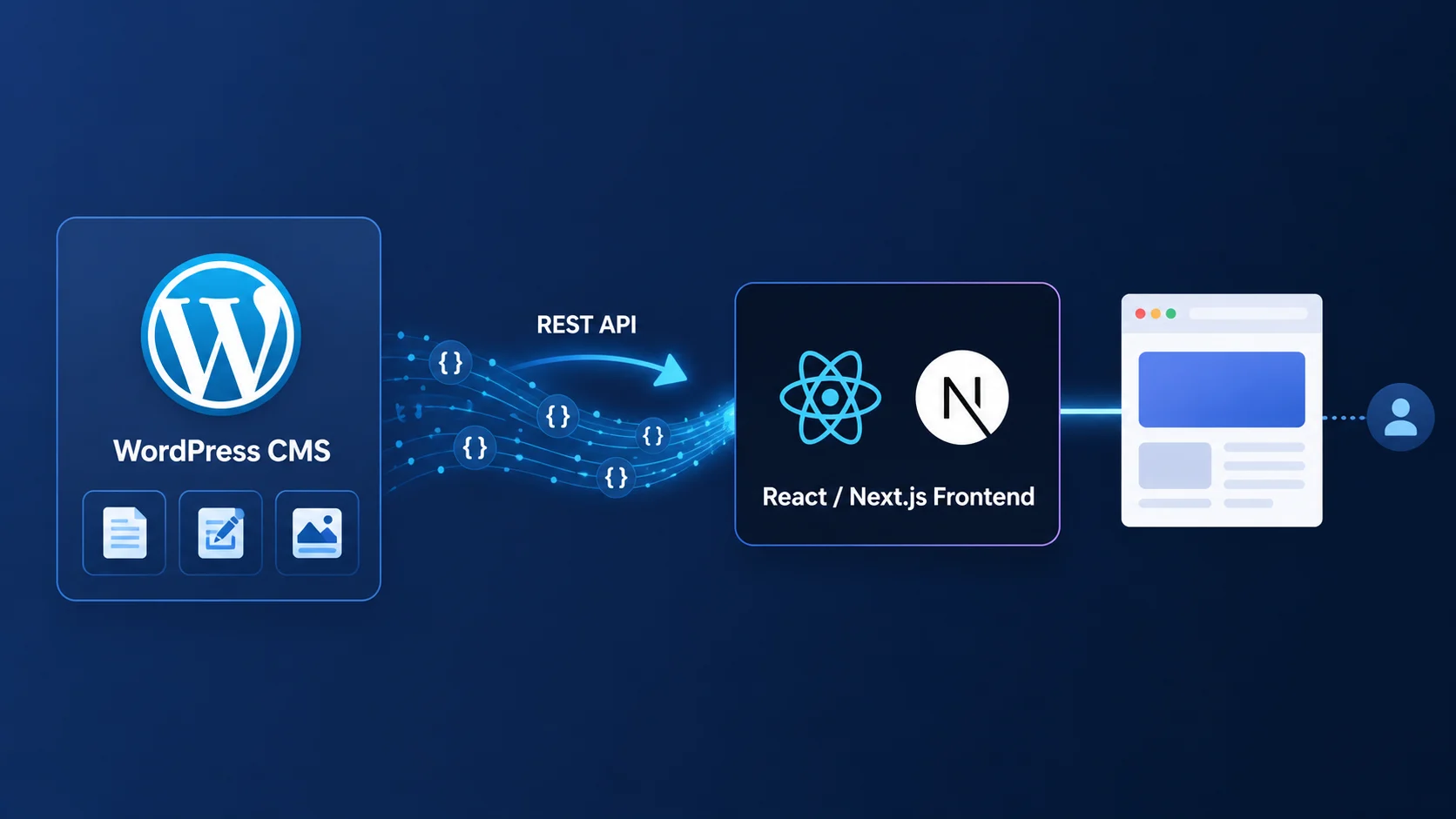
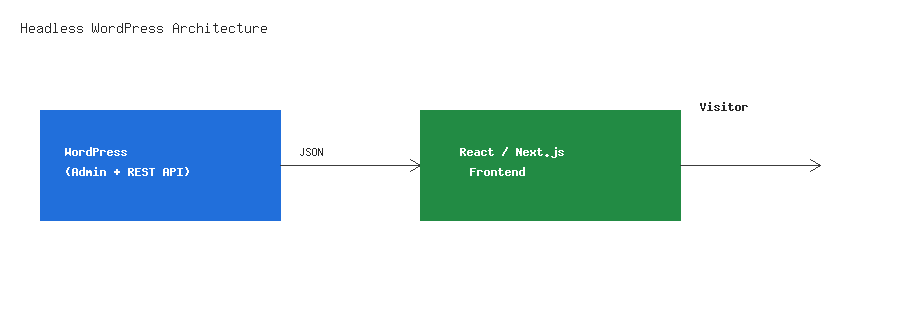
Headless WordPress means using WordPress purely as a content backend — writers still work in wp-admin, but the public-facing site is built separately with React, Next.js, or Vue, pulling content through the REST API or GraphQL instead of PHP templates. It’s one of the biggest WordPress architecture shifts happening right now, and for good reason: it decouples content from presentation without giving up the editing experience content teams already know. This guide covers the full picture — API choice, custom endpoints, authentication, rebuild triggers, SEO, caching, and when headless is (and isn’t) the right call.
What Headless WordPress Actually Means
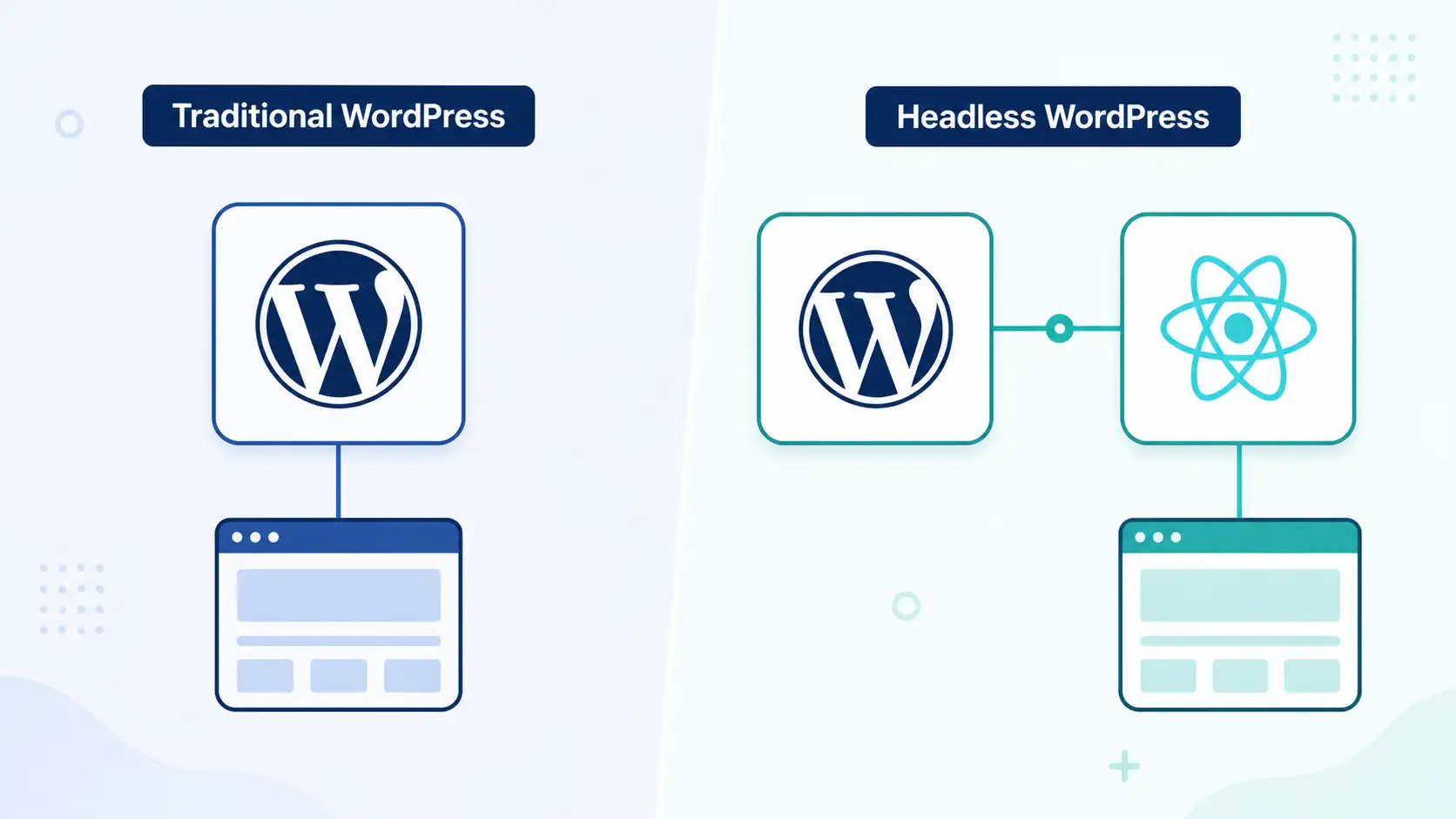
In a traditional WordPress site, PHP templates render HTML on the server for every request — the theme is tightly coupled to WordPress itself. In a headless setup, WordPress’s job shrinks to storing and serving content as JSON; the actual page rendering happens in a separate JavaScript application, often deployed entirely differently (a static host, an edge network, a mobile app). WordPress becomes purely the CMS; something else becomes the front end.
1. Decide Between the REST API and WPGraphQL
WordPress ships with the REST API built in, so it works with zero extra plugins and no schema to maintain. WPGraphQL (a free plugin) gives you a single flexible query instead of multiple REST calls, which front-end frameworks like Next.js tend to prefer for reducing over-fetching — you ask for exactly the fields you need in one request.
// REST: fetch the 10 latest posts with featured images
fetch('https://example.com/wp-json/wp/v2/posts?_embed&per_page=10')
    .then(res => res.json())
    .then(posts => console.log(posts));
Note: The _embed parameter above pulls in related resources (featured image, author, terms) in the same request — without it, the REST API only returns links to fetch them separately, which multiplies your network requests fast on a listing page.
2. Expose Custom Fields to the API
Custom fields (from ACF or your own register_post_meta() calls) don’t appear in the REST response by default. You have to explicitly opt them in:
register_post_meta('post', 'subtitle', [
    'show_in_rest' => true,
    'single'       => true,
    'type'         => 'string',
    'auth_callback' => function () {
        return current_user_can('edit_posts');
    },
]);
Warning: Don’t set show_in_rest on meta fields containing sensitive internal data (draft notes, internal pricing, unpublished data) without also thinking through who can read the REST response. Public GET requests to standard post routes are, by default, publicly readable once a post is published.
3. Build a Custom Endpoint for Front-End-Shaped Data
Rather than making the React app stitch together several REST calls, build one endpoint that returns exactly the shape the front end needs — post, featured image URL, and related posts in one response. This is the same pattern covered in depth in our guide on building a custom WordPress REST API endpoint.
add_action('rest_api_init', function () {
    register_rest_route('headless/v1', '/post/(?P<slug>[a-zA-Z0-9-]+)', [
        'methods'  => 'GET',
        'callback' => function (WP_REST_Request $request) {
            $post = get_page_by_path($request->get_param('slug'), OBJECT, 'post');
            if (!$post) {
                return new WP_Error('not_found', 'Post not found', ['status' => 404]);
            }

            return new WP_REST_Response([
                'title'    => get_the_title($post),
                'content'  => apply_filters('the_content', $post->post_content),
                'image'    => get_the_post_thumbnail_url($post, 'large'),
                'date'     => get_the_date('c', $post),
            ], 200);
        },
        'permission_callback' => '__return_true',
    ]);
});
4. Consume It in Next.js
On the front end, fetch the custom endpoint at build time (Static Generation) or request time (Server Components), depending on how often the content changes.
// app/blog/[slug]/page.js
async function getPost(slug) {
    const res = await fetch(`https://example.com/wp-json/headless/v1/post/${slug}`, {
        next: { revalidate: 3600 }, // ISR: refresh hourly
    });
    return res.json();
}

export default async function BlogPost({ params }) {
    const post = await getPost(params.slug);
    return (
        <article>
            <h1>{post.title}</h1>
            <div dangerouslySetInnerHTML={{ __html: post.content }} />
        </article>
    );
}
5. Handle Authentication for Non-Public Data
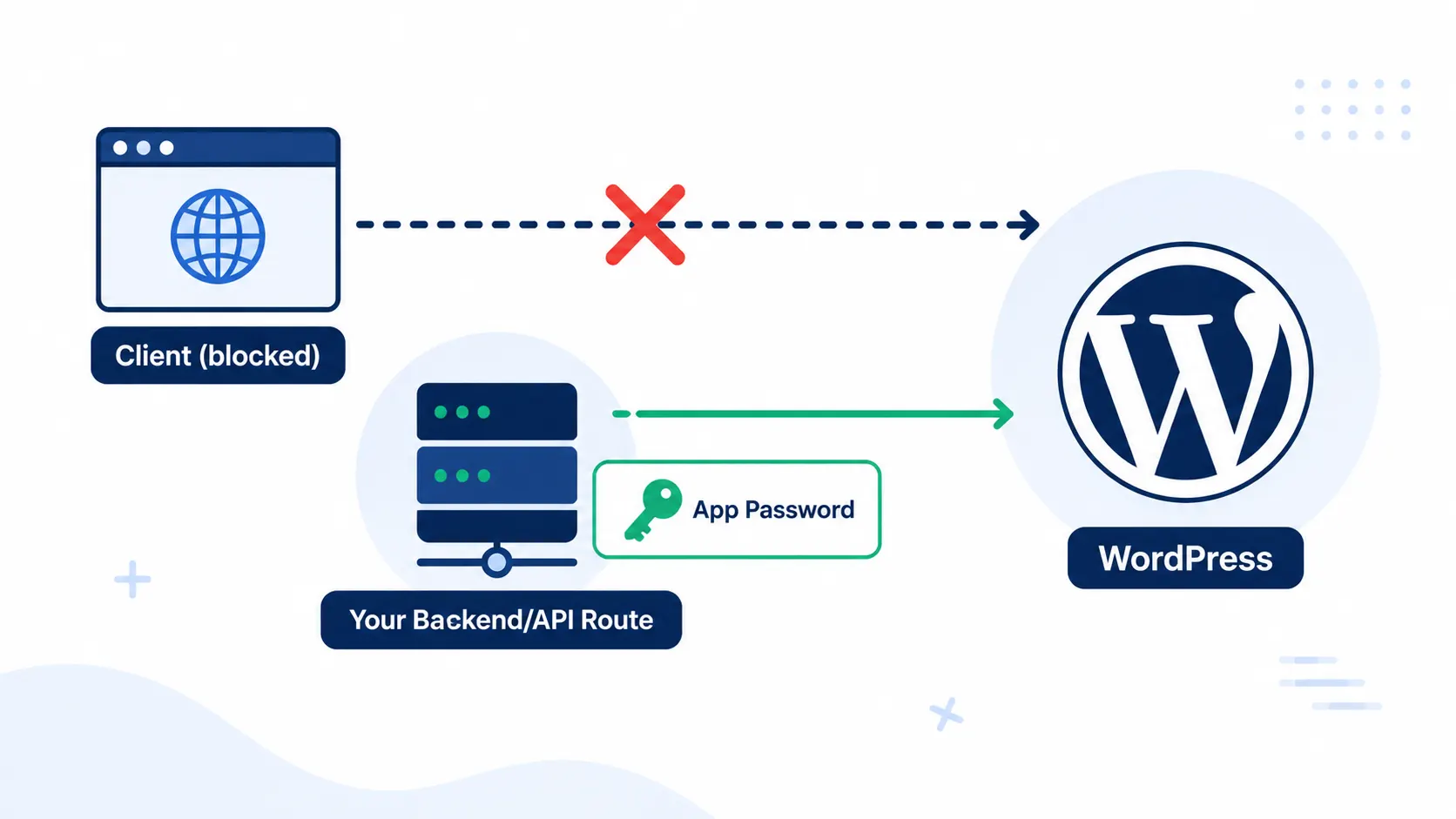
Public GET requests need no authentication, but writing data back to WordPress (comments, form submissions, custom post types) from your front end needs a credential the client can safely hold. WordPress core supports Application Passwords since 5.6 — per-user, revocable credentials meant exactly for this kind of API access, separate from the user’s real login password.
// Generate one in wp-admin under Users > Profile > Application Passwords,
// then authenticate server-side (never expose this in client-side JS):
const res = await fetch('https://example.com/wp-json/wp/v2/posts', {
    method: 'POST',
    headers: {
        'Authorization': 'Basic ' + Buffer.from('username:app-password').toString('base64'),
        'Content-Type': 'application/json',
    },
    body: JSON.stringify({ title: 'New Post', status: 'draft' }),
});
Warning: Never call authenticated write endpoints directly from client-side browser JavaScript — the credential would be visible to anyone inspecting network requests. Route authenticated writes through your own server (a Next.js API route or server action) that holds the credential securely.
6. Trigger Rebuilds When Content Changes
Static or ISR (Incremental Static Regeneration) front ends need to know when content changes in wp-admin. Fire a webhook to your hosting platform (Vercel, Netlify) on publish/update so the front end rebuilds or revalidates automatically instead of serving stale content until the next scheduled refresh.
add_action('save_post', function ($post_id) {
    if (wp_is_post_revision($post_id)) {
        return;
    }
    wp_remote_post('https://api.vercel.com/v1/integrations/deploy/your-hook-id', [
        'blocking' => false,
        'timeout'  => 1,
    ]);
});
Note: Use 'blocking' => false as shown — without it, saving a post in wp-admin will hang until the external webhook call completes, making the editing experience feel slow or unreliable.
7. Handle Preview Mode for Unpublished Content
Editors expect to preview a draft before publishing, but a static or cached front end has no draft to show by default. Most frameworks (Next.js included) support a “draft mode” that bypasses the cache for a signed preview request — WordPress needs a custom endpoint (authenticated, checking edit_post capability) that returns draft content, and the front end needs a preview route that calls it.
8. Don’t Forget SEO in a Headless Setup
Going headless means the front end — not WordPress — generates the actual <title>, meta tags, canonical URLs, and structured data the browser and search engines see. Pull your Rank Math title/description via the REST API (they’re stored as post meta, exposed the same way as any custom field from step 2) and render them into the front end’s <head> yourself, or the SEO work you do in wp-admin never actually reaches real visitors or search crawlers.
9. Plan Your Caching Layer
A headless setup shifts caching concerns from WordPress-side plugins to the front end and CDN layer. Static generation (build-time) is fastest but stalest; ISR/on-demand revalidation balances freshness with speed; server-side rendering on every request is freshest but slowest and puts the most load back on WordPress. Choose per content type — a blog post can tolerate an hour of staleness, while inventory-sensitive WooCommerce data usually can’t.
When Headless WordPress Is (and Isn’t) Worth It
Headless makes sense when you need a highly interactive, app-like front end, multiple front ends sharing one CMS (web + mobile), or a JavaScript team that doesn’t want to touch PHP templates. It’s usually overkill for a typical content site or WooCommerce store, where a traditional theme with good caching and query performance (see our SQL query optimization guide for the database side of that) gets you most of the benefit with far less infrastructure to maintain and no separate deployment pipeline to manage. If you do go headless, revisit your custom REST API endpoint patterns and your WordPress security checklist together — an API-only backend has a different attack surface than a traditional site, and it’s worth checking the official WordPress REST API Handbook and the WPGraphQL documentation for the latest authentication and schema guidance.
Wrapping Up
Headless WordPress isn’t a replacement for traditional WordPress — it’s a different architecture for a different set of needs. If your team already knows React or Next.js and wants a fast, app-like front end while keeping the editorial workflow WordPress is known for, exposing your content cleanly through the REST API (or WPGraphQL) is a well-trodden path in 2026, not an experimental one. And if part of your content editing still relies on the block editor, our guide on building a custom Gutenberg block pairs well here too — a well-structured block means cleaner, more predictable data flowing out through the API in the first place.




3 replies on “Headless WordPress in 2026: Using WP as a Headless CMS”
[…] becomes especially important if you’re building toward a headless WordPress setup, where a JavaScript framework like React or Next.js is the only consumer of your data — […]
[…] API endpoint to make sure your own routes are locked down too, and if you’re moving toward a headless WordPress architecture, remember that an API-only backend has a different attack surface than a traditional […]
[…] of powering everything from personal blogs to enterprise e-commerce stores and, increasingly, headless architectures where WordPress serves only as a content backend behind a JavaScript front […]