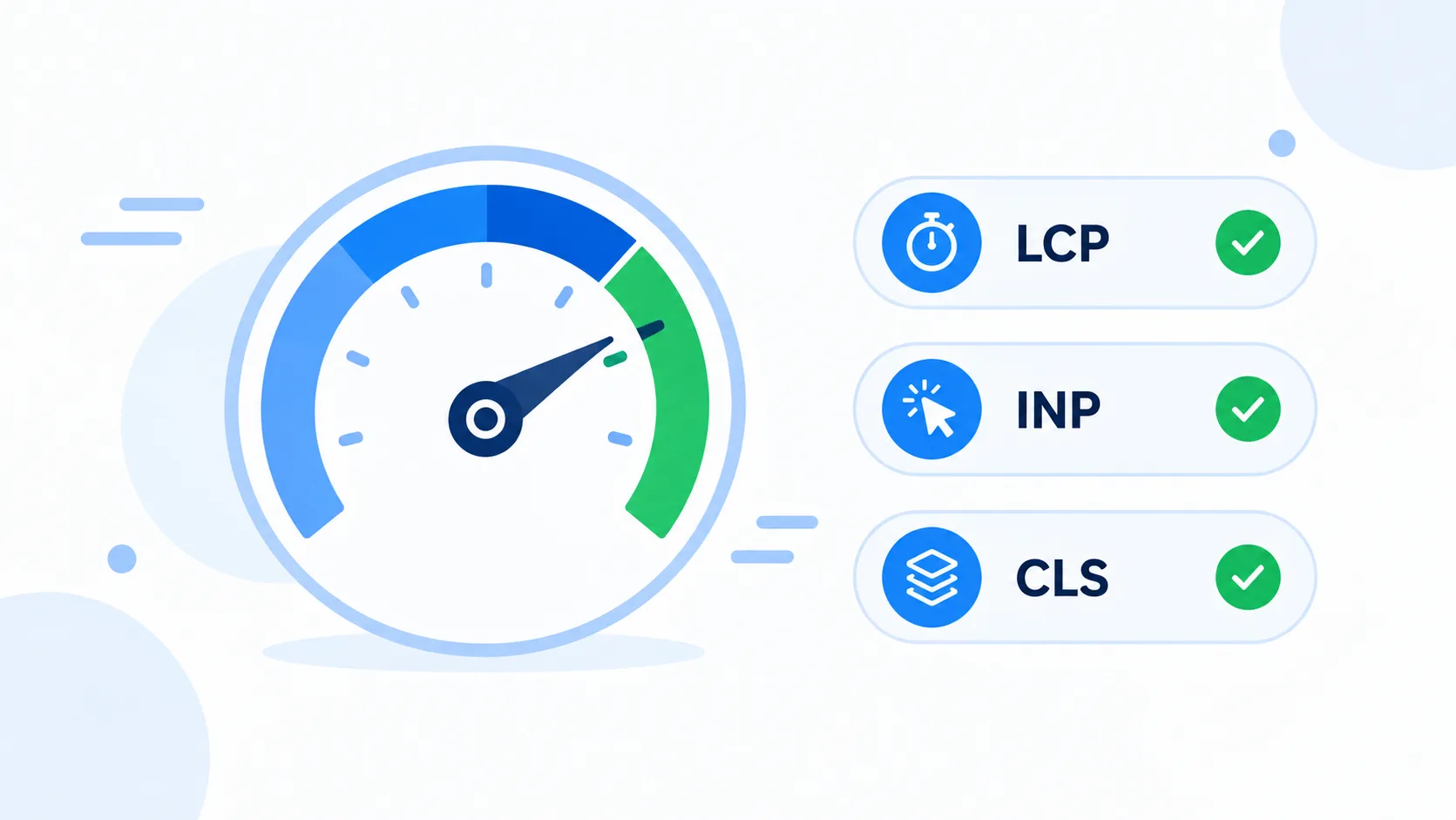
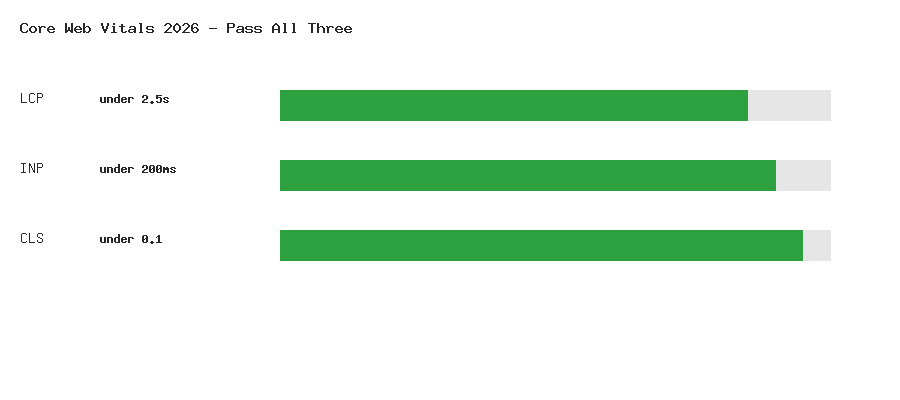
WordPress Core Web Vitals in 2026 means passing three specific thresholds Google actually measures from real visitor traffic: Largest Contentful Paint (LCP), Interaction to Next Paint (INP), and Cumulative Layout Shift (CLS). INP is the one that trips up most WordPress sites — it replaced First Input Delay as an official Core Web Vital back in March 2024, and it measures something WordPress sites are particularly prone to getting wrong: how long the page stays sluggish to respond to clicks, taps, and keypresses, not just how fast it first appears.
The Three Metrics and Their Thresholds
- LCP (Largest Contentful Paint) — how long until the largest visible element (usually a hero image or heading) renders. Good: under 2.5 seconds.
- INP (Interaction to Next Paint) — the latency of the slowest interaction during a visitor’s entire time on the page, not just the first one. Good: under 200 milliseconds.
- CLS (Cumulative Layout Shift) — how much visible content unexpectedly shifts around as the page loads. Good: under 0.1.
Note: All three are measured from real Chrome User Experience Report (CrUX) field data — actual visitors on actual devices and connections — not just a single lab test run in PageSpeed Insights. A site can look fast in a lab test and still fail Core Web Vitals in the field if real visitors are on slower phones or networks than the test environment assumes.
Why INP Is Harder for WordPress Sites Than LCP
LCP problems are usually straightforward to diagnose — an unoptimized hero image, a slow server response, or render-blocking CSS. INP problems are diffuse: they come from JavaScript that runs long enough to block the browser’s main thread when a visitor tries to interact with the page. On a typical WordPress site, that JavaScript often isn’t your theme’s own code at all — it’s the accumulated weight of every plugin’s separately enqueued script running on every page, whether or not that plugin’s functionality is even used on the current page.
1. Audit Which Plugins Are Actually Loading Scripts Everywhere
The single highest-impact INP fix on most WordPress sites is finding plugins that enqueue JavaScript site-wide when they’re only needed on specific pages — a contact form plugin loading its validation script on every page instead of just the contact page, for example.
// Example: only load a plugin's script on pages that actually use it
add_action( 'wp_enqueue_scripts', function () {
    if ( ! is_page( 'contact' ) ) {
        wp_dequeue_script( 'some-heavy-form-plugin-script' );
    }
}, 100 );
Warning: Dequeuing another plugin’s script is fragile — if that plugin updates and changes its script handle name, your dequeue silently stops working. Check for the plugin’s own settings first (many form, popup, and slider plugins have a “load only where used” option built in) before reaching for a manual dequeue.
2. Break Up Long JavaScript Tasks
INP specifically penalizes long tasks — any single piece of JavaScript execution over 50ms blocks the main thread and delays the browser’s ability to respond to the next click or tap. If you maintain custom JavaScript (including in a custom Gutenberg block‘s front-end script), look for expensive work happening synchronously on page load or inside a click handler, and break it into smaller chunks using setTimeout or, better, the browser’s scheduler.yield() API where supported:
// Instead of one long synchronous loop:
items.forEach( processItem );

// Yield back to the browser periodically so it can handle interactions:
async function processItemsInChunks( items ) {
    for ( const item of items ) {
        processItem( item );
        if ( 'scheduler' in window && 'yield' in scheduler ) {
            await scheduler.yield();
        }
    }
}
3. Defer and Delay Non-Critical Scripts
Analytics snippets, chat widgets, and social sharing scripts are common INP offenders precisely because they’re rarely needed the instant a visitor lands — delaying their execution until the first user interaction (or a short timeout) keeps the main thread free during the critical early-page window when INP is most likely to be measured.
add_action( 'wp_footer', function () {
    ?>
    <script>
    ['mousemove', 'touchstart', 'keydown', 'scroll'].forEach( function( evt ) {
        window.addEventListener( evt, loadDelayedScripts, { once: true, passive: true } );
    });

    function loadDelayedScripts() {
        var script = document.createElement( 'script' );
        script.src = 'https://example.com/chat-widget.js';
        document.body.appendChild( script );
    }
    </script>
    <?php
});
Note: This pattern trades a small delay in loading non-critical widgets for a real, measurable INP improvement on first interaction — a chat widget appearing half a second after a visitor’s first scroll is a reasonable tradeoff most sites should make.
4. Optimize Images for LCP
If your LCP element is an image (the most common case), make sure it isn’t lazy-loaded — lazy-loading the hero image is a common, counterproductive mistake, since it delays the exact element LCP is measuring. Explicitly mark it as a high-priority, eagerly-loaded resource instead:
<img src="hero.webp" alt="..." loading="eager" fetchpriority="high" width="1200" height="600" />
Always include explicit width and height attributes, as shown above — this also directly helps CLS, since the browser can reserve the correct space before the image finishes downloading, rather than shifting layout once it arrives.
5. Fix Common CLS Causes
- Web fonts swapping in late — use
font-display: swapor preload critical fonts to minimize the visual jump when a custom font finally loads. - Ads or embeds injected without reserved space — always give ad slots and embeds a fixed minimum height via CSS before their content loads.
- Dynamically injected banners (cookie notices, promotional bars) that push content down after the page has already rendered — reserve their space up front or use `position: fixed` instead of pushing content in the normal document flow, the same layout principle covered in our fixed footer guide.
6. Measure with Field Data, Not Just Lab Tests
PageSpeed Insights and Lighthouse run a single simulated test — useful for diagnosing specific problems, but not a substitute for real-world field data. Check the Core Web Vitals report in Google Search Console (under Experience) for what real visitors actually experienced over the past 28 days, broken down by URL group. This is the same dataset that affects search ranking, and it’s the only way to know for certain whether your fixes actually moved the needle for real traffic rather than just your test environment.
7. Watch Your Database Query Performance Too
Server response time (a component of LCP called Time to First Byte) suffers from the same database inefficiencies covered in our SQL query optimization guide — an unindexed custom table query or an uncached expensive lookup adds directly to how long a visitor waits before anything renders at all, regardless of how well-optimized your front-end JavaScript is.
Wrapping Up
Core Web Vitals in 2026 comes down to three separate problems that need three separate approaches: LCP is mostly a server-response and image-loading problem, INP is mostly a JavaScript-weight and main-thread problem, and CLS is mostly a reserved-space problem. Fix them in that rough priority order — a slow server response caps every other metric, no amount of front-end JavaScript optimization compensates for a backend that takes three seconds to respond in the first place.