What is WordPress
WordPress is an open source Content Management System (CMS), which allows users to build dynamic websites and blogs without writing code from scratch. WordPress is the most popular publishing platform on the web, powering roughly 43% of all websites globally as of 2026 according to W3Techs — more than every other CMS combined. It allows users to update, customize, and manage a website entirely from its back-end admin dashboard, no server access required for day-to-day content work.
What is a Content Management System (CMS)?
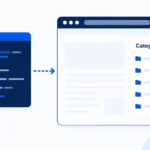
A Content Management System (CMS) is software that stores all types of data — text, images, music, videos, documents — that make up your website, and separates that content from the design and code that displays it. It helps in creating, editing, and publishing content without touching HTML or a database directly.
WordPress first saw the light of day on May 27, 2003, created by its founders Mike Little and Matt Mullenweg as a fork of an earlier blogging tool called b2/cafelog. What started as a simple blogging platform has since grown into a full-fledged application framework capable of powering everything from personal blogs to enterprise e-commerce stores and, increasingly, headless architectures where WordPress serves only as a content backend behind a JavaScript front end.
Features
- User Management — Manages user information such as changing user roles (subscriber, contributor, author, editor, or administrator), creating or deleting users, and changing passwords. The main role of the user manager is Authentication.
- Media Management — A built-in tool for managing media files and folders, letting you upload, organize, and manage images, video, and documents on your website.
- Theme System — Controls the site’s visual design and layout without touching content. It includes images, stylesheets, template files, and custom page templates.
- Extend with Plugins — A vast ecosystem of plugins (over 60,000 free ones in the official directory alone) adds custom functionality and features without core code changes.
- Block Editor (Gutenberg) — Since WordPress 5.0, content is built from individual blocks — paragraphs, images, columns, and custom blocks — giving editors a visual, drag-and-drop authoring experience. If you build plugins, see our guide on creating a custom Gutenberg block to extend this system yourself.
- REST API — A built-in API that exposes site content as JSON, enabling mobile apps, JavaScript front ends, and third-party integrations. Learn more in our guide on building a custom REST API endpoint.
- Search Engine Optimization — Clean, semantic markup and a large ecosystem of SEO plugins (like Rank Math and Yoast) make on-site SEO straightforward, even for non-technical users.
- Multilingual Support — WordPress core ships with translations for dozens of languages, and plugins extend this to full multilingual site management.
- Importers/Exporters — Built-in tools for importing and exporting content — posts, pages, comments, and tags — making platform migrations far less painful.
Advantages
- It is an open source platform, free to download, use, and modify.
- Themes and CSS can be customized freely to match any design.
- Thousands of free plugins and themes are available, with premium options for advanced needs.
- Content editing uses a WYSIWYG (What You See Is What You Get) block editor, so non-technical users can format content visually.
- Media files upload quickly and are automatically organized by date.
- Strong SEO tooling makes on-site optimization accessible without deep technical knowledge.
- Role-based access (admin, editor, author, contributor) makes it practical for teams of any size.
- A massive global community means documentation, tutorials, and support are never far away.
Disadvantages
- Running many plugins simultaneously can slow a site down if they’re not well-optimized or well-maintained.
- PHP knowledge is generally required for deeper customization beyond what themes and plugins offer out of the box.
- WordPress core, themes, and plugins all need regular updates to stay compatible and secure — skipping updates is one of the most common causes of WordPress sites getting compromised. See our full WordPress security checklist for the specific steps that matter most.
- A reliable, tested backup strategy is essential before any major update, since a bad plugin or theme update can break a site with little warning.
Note: WordPress’s popularity is exactly why it’s such a frequent target for automated attacks — the same widespread adoption that makes plugins and themes abundant also makes WordPress sites a high-value target for bots scanning for outdated software. This isn’t a reason to avoid WordPress, but it is a reason to treat security as a baseline requirement, not an afterthought, from the day a site launches.
Where to Go From Here
Once you’re comfortable with the WordPress basics above, the next steps for most developers are learning to query and optimize the database directly with $wpdb (see our SQL query optimization guide), extending the platform through custom REST API endpoints, building reusable custom Gutenberg blocks, and hardening the install against common attacks with our security checklist. Together, these cover the core skill set behind almost every custom WordPress project.