


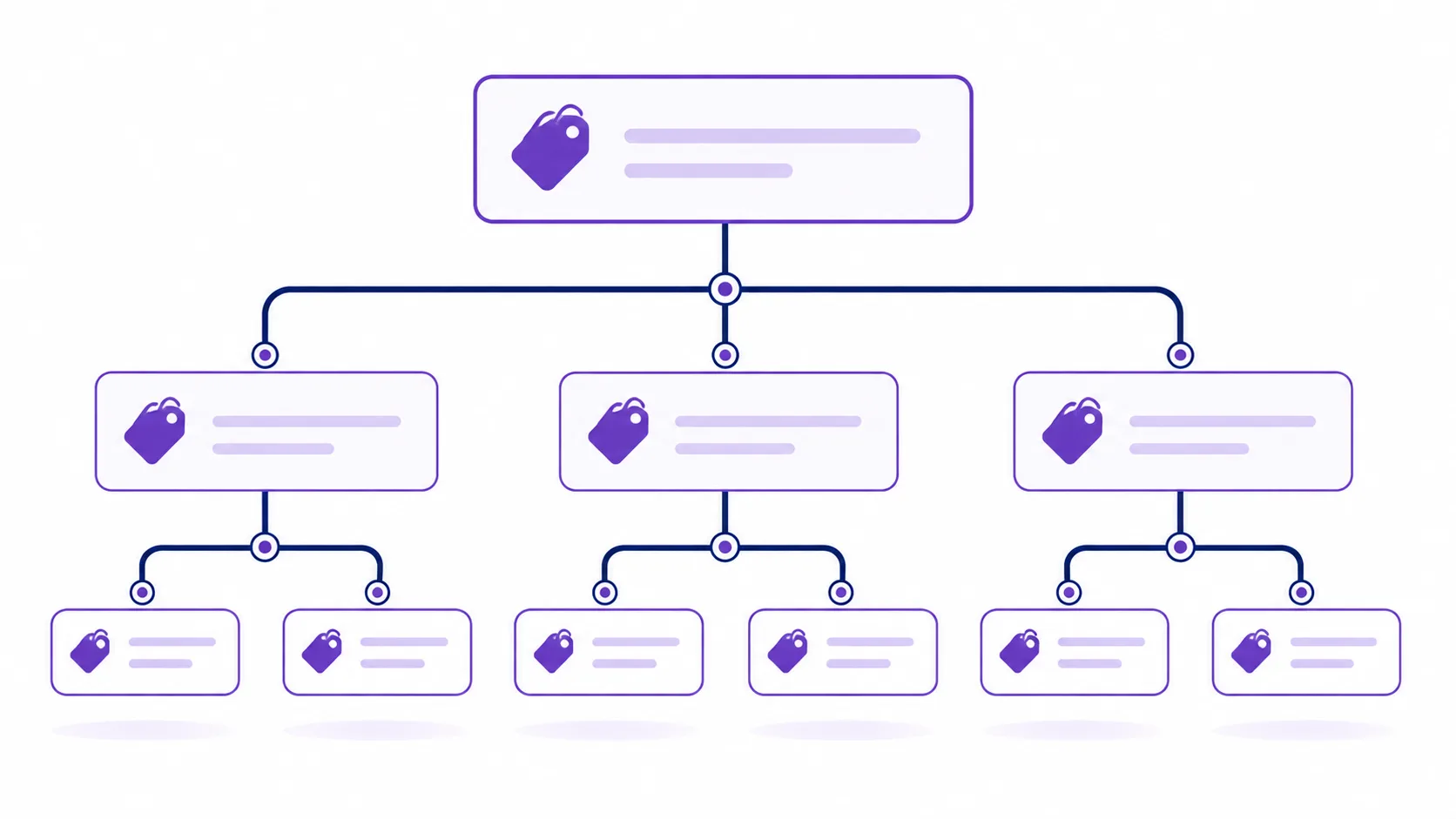
Get WooCommerce Product Categories from WordPress
WooCommerce product categories live in their own taxonomy, product_cat, separate from regular WordPress post categories. This guide covers three ways to pull them: a flat list, an automatic nested hierarchy, and a fully custom recursive walk — plus two real bugs found in a common version of this snippet that are worth knowing about before you copy any of it.
Method 1: A Flat List with get_terms()
get_terms() is the modern, general-purpose function for querying any taxonomy — built-in or custom — and is the right first choice for a simple flat list of product categories.
<?php
add_shortcode('wc_categories', 'wpwebguru_wc_categories_shortcode');
function wpwebguru_wc_categories_shortcode()
{
	$args = array(
		'taxonomy'   => 'product_cat',
		'orderby'    => 'name',
		'order'      => 'asc',
		'hide_empty' => false,
	);

	$product_categories = get_terms( $args );

	if ( empty( $product_categories ) || is_wp_error( $product_categories ) ) {
		return '';
	}

	ob_start();
	?>
	<ul class="wc-category-list">
		<?php foreach ( $product_categories as $category ) : ?>
			<li>
				<a href="<?php echo esc_url( get_term_link( $category ) ); ?>">
					<?php echo esc_html( $category->name ); ?>
				</a>
			</li>
		<?php endforeach; ?>
	</ul>
	<?php
	return ob_get_clean();
}
?>
Warning: A common version of this snippet echoes the category name and link directly (echo $category->name;) with no escaping, and calls get_terms( 'product_cat', $args ) using the older two-argument signature. Since WordPress 4.5, get_terms() expects a single args array with 'taxonomy' as a key, as shown above — the old two-argument form still works via a compatibility layer but is deprecated. The corrected version above also wraps output in esc_html()/esc_url() and returns the markup via ob_get_clean() instead of echoing directly, which is the correct pattern for a shortcode callback — a shortcode that echoes rather than returns will output its content in the wrong place on the page, often above your actual post content.
Method 2: A Full Nested Hierarchy (Easiest Way)
If you need the full parent/child category tree — not just top-level categories — the simplest approach isn’t manual recursion at all. WordPress’s own wp_list_categories() already builds a properly nested <ul> for any taxonomy, including custom ones like product_cat, and handles unlimited depth automatically:
<?php
add_shortcode('wc_categories_nested', 'wpwebguru_wc_categories_nested_shortcode');
function wpwebguru_wc_categories_nested_shortcode()
{
	$args = array(
		'taxonomy'     => 'product_cat',
		'orderby'      => 'name',
		'hierarchical' => true,
		'title_li'     => '',
		'hide_empty'   => false,
		'echo'         => false,
	);

	return '<ul class="wc-category-tree">' . wp_list_categories( $args ) . '</ul>';
}
?>
Note: 'echo' => false is what makes this safe to use inside a shortcode — without it, wp_list_categories() prints directly instead of returning a string, which causes the same “output appears in the wrong place” problem mentioned above.
Method 3: Manual Recursive Walk (For Full Custom Markup)
If wp_list_categories()‘s default markup doesn’t fit your design and you need full control over each level’s HTML, walk the tree yourself — recursively, so it handles any depth rather than just one level of children.
<?php
add_shortcode('wc_categories_custom', 'wpwebguru_wc_categories_custom_shortcode');
function wpwebguru_wc_categories_custom_shortcode()
{
	$top_level = get_terms( array(
		'taxonomy'   => 'product_cat',
		'parent'     => 0,
		'orderby'    => 'name',
		'hide_empty' => false,
	) );

	if ( empty( $top_level ) || is_wp_error( $top_level ) ) {
		return '';
	}

	return wpwebguru_render_category_branch( $top_level );
}

function wpwebguru_render_category_branch( $categories )
{
	$output = '<ul>';

	foreach ( $categories as $category ) {
		$output .= '<li><a href="' . esc_url( get_term_link( $category ) ) . '">' . esc_html( $category->name ) . '</a>';

		$children = get_terms( array(
			'taxonomy'   => 'product_cat',
			'parent'     => $category->term_id,
			'orderby'    => 'name',
			'hide_empty' => false,
		) );

		if ( ! empty( $children ) && ! is_wp_error( $children ) ) {
			$output .= wpwebguru_render_category_branch( $children ); // recurse into children
		}

		$output .= '</li>';
	}

	$output .= '</ul>';
	return $output;
}
?>
Warning: A common version of this recursive approach defines a second function with the exact same name as the first snippet’s shortcode callback (get_wc_loop_categories_shortcode), and only descends one level deep — it fetches top-level categories, then their direct children, but never recurses into grandchildren. If your product category tree ever goes three levels deep, that version silently drops everything past the second level. It also re-registers the same wc_categories shortcode a second time — if both snippets are pasted into the same functions.php file, as someone following a tutorial “method 1 vs method 2” format easily might, you get a fatal “Cannot redeclare” PHP error. The versions above use distinct function names for exactly this reason, and the version above recurses into unlimited depth correctly.
Which Method Should You Use?
- Method 1 (flat list) — a simple category-links menu, dropdown, or filter list where hierarchy doesn’t matter.
- Method 2 (wp_list_categories) — the fastest way to get a correct, unlimited-depth nested list with minimal code, when the default markup is acceptable.
- Method 3 (manual recursion) — when you need custom classes, data attributes, icons, or other markup per level that
wp_list_categories()‘s output doesn’t support.
Performance Note for Large Catalogs
On a store with hundreds of product categories, querying the full tree on every page load adds up. WordPress caches taxonomy term queries reasonably well by default, but if you’re combining this with additional per-category logic (product counts, custom meta), consider caching the final rendered HTML with a transient rather than rebuilding it on every request — the same caching pattern covered in our SQL query optimization guide.
Exposing Categories to a JavaScript Front End
If you need this same category tree available to a React or mobile front end rather than rendered as a shortcode, the WooCommerce REST API already exposes /wc/v3/products/categories by default. For anything beyond that default shape — combining categories with custom fields, or a response tailored to your specific UI — building a custom REST API endpoint around get_terms() follows the exact same pattern as Method 1 above, just returning JSON instead of HTML. For the official reference on every parameter these functions accept, see the get_terms() documentation and the wp_list_categories() documentation.
Wrapping Up
For most cases, Method 2 (wp_list_categories() with taxonomy => 'product_cat') is genuinely the least code for a correct result — reach for the flat list or manual recursion only when you specifically need their extra control. Whichever method you use, keep the escaping and the “return, don’t echo” habits from the corrected examples above — both are easy to skip and both cause real, if subtle, bugs in production.



One reply on “Get WooCommerce product categories from WordPress”
[…] by category by adding a tax_query entry for product_cat — see our guide on getting WooCommerce product categories for the taxonomy […]